
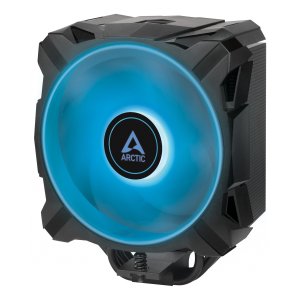

| Vaše cena | 1 041,90 Kč |
| Vaše cena bez DPH | 861,10 Kč |
| Dostupnost | Skladem 5 ks |
| Odesíláme v úterý | |
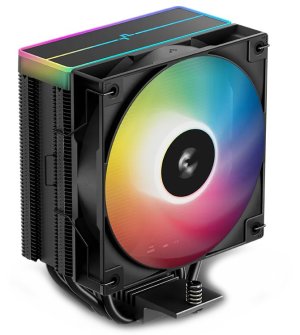
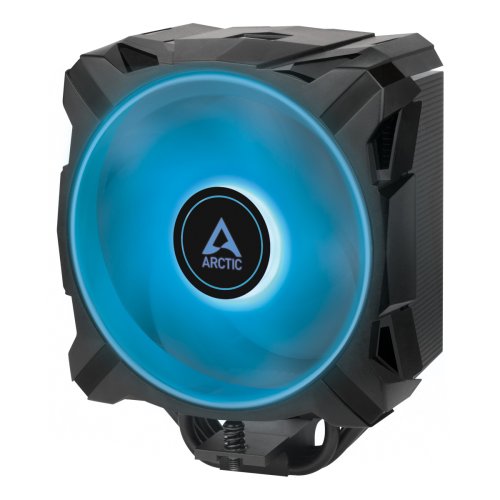
Freezer A35 RGB Tower CPU Cooler for AMD with RGB
COMPACT PERFORMANCE MEETS MODERN DESIGN Optimised performance meets modern, black design and whisper-quiet operation. With its four offset heat pipes, the single-tower CPU cooler enables fast heat transfer into the heat sink, where it can be efficiently dissipated by means of a 120 mm fan.
ULTIMATE PERFORMANCE THERMAL PASTE The Freezer A35 RGB comes with a 0.8 g syringe of the new MX-5. ARCTIC's Ultimate Performance thermal paste enables a particularly thin layer thickness due to its low viscosity and particle size and significantly reduces the heat build-up between the heat spreader of the CPU and the cooler. At the same time, it is neither conductive nor capacitive and therefore absolutely safe to use, even for beginners.
FAN OPTIMISED FOR HEAT SINKS The fan installed in the Freezer A35 RGB benefits from all the advantages of the P-fans. With their low-vibration, power-saving motor and hydrodynamic plain bearing, they combine quiet and efficient operation. Despite its high fin density, the fan guarantees a high static pressure with its focused air flow and is therefore ideal for use on radiators and heat sinks. The speed of the fan can be dynamically controlled via PWM and can thus be optimally adapted to any scenario.
IMPROVED INSTALLATION AND UNLIMITED RAM CLEARANCE The Freezer A35 RGB is a socket-specific installation variant for AM4. This reduces unnecessary mounting material and additionally simplifies the installation. ARCTIC uses an improved and simplified mounting system with spring-loaded screws for the Freezer A35 RGB. This achieves optimum contact pressure and even distribution of the thermal compound. Due to its compact design, it allows unrestricted RAM compatibility when installed.
MAKE YOUR SYSTEM SHINE The Freezer A35 A-RGB fan has 12 analog RGB LEDs in the fan hub. These are uniformly controllable and compatible with the common RGB standards of leading motherboard manufacturers. The fan can be connected directly via a 12 V 4-pin RGB header on the mainboard. Alternatively, the cooler can also be illuminated via an external Controller and synchronised with the lighting of other hardware.
QUALITY YOU CAN RELY ON To ensure the longevity of our products, we carry out long-term tests under different, sometimes very adverse conditions. In this way, we learn how we can permanently improve our products for our customers. In addition, the excellent results of long-term testing give us the assurance that our products are not only outstanding in terms of quality, but also in terms of durability.
General data
Compatibility AMD Socket: AM4 *If you are experiencing AM4 assembly problems, please stop and visit our FAQ. Ram Clearance: unlimited Operating Ambient Temperature: 0 - 40 °C
Heatsink Heat Pipes: 4 Fin Material: Aluminum Number of Fins: 54 Fin Thickness: 0,4 mm Thermal Paste: MX-5 (0.8g)
Fan Fan Size: 120 Fan Speed: 200 - 1700 rpm Fan Bearing: Fluid Dynamic Bearing Noise Level: 0.35 Sone Current: 0.11 A Connector: 4-Pin
RGB Specifications LEDs: 12 A-RGB LEDs Connector: 4-Pin 12V-G-R-B Connector Current / Voltage: 0.2 A / 12 V Cable: 450 mm cable with 80 mm sharing cable, black
Size & Weight Lenght: 91 mm Width: 133 mm Height: 158.5 mm Weight: 734 g
Packaging Width: 144 mm Height: 168 mm Length: 113 mm Weight: 0.894 kg